Location Changes: Potential Confusion in the Agency View
In the agency view, in the upper right corner, we have a tool that allows us to quickly change locations. However, sometimes this tool can create confusion. Let's consider the following scenarios:
Go to Agency » Organizations and click on the name of an organization different from the one currently selected in the upper corner. (See IMAGE 1 below)
As you can see, there are two conflicting pieces of information, which in this case could lead to creating a location in the wrong organization.
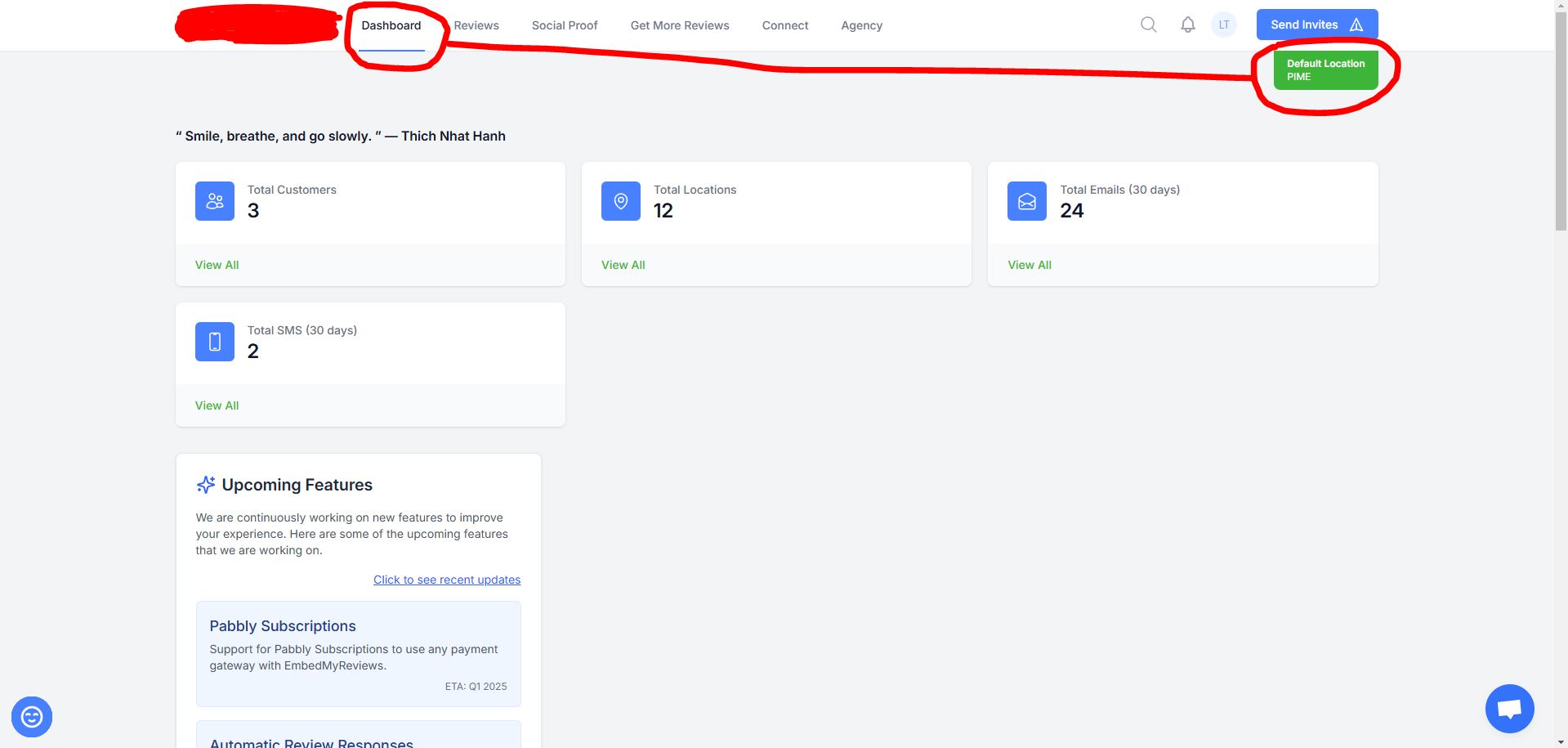
Now, let's go to the Agency Dashboard. Then, use the tool in the upper right corner to change the location, doing so several times. (See IMAGE 2 below)
As you can see, nothing changes on the Dashboard. In fact, there shouldn't be any changes, as when we are in the agency, we will always see the agency’s Dashboard. However, our clients also have their own Dashboards, and the location change tool gives us the impression that we can switch to the client's Dashboard, but that does not happen. This can make it seem like a bug to those who are unfamiliar with the system.
____________________________________________
Thanks Elisabetta Si for pointing this out!
____________________________________________
IMAGE 1:
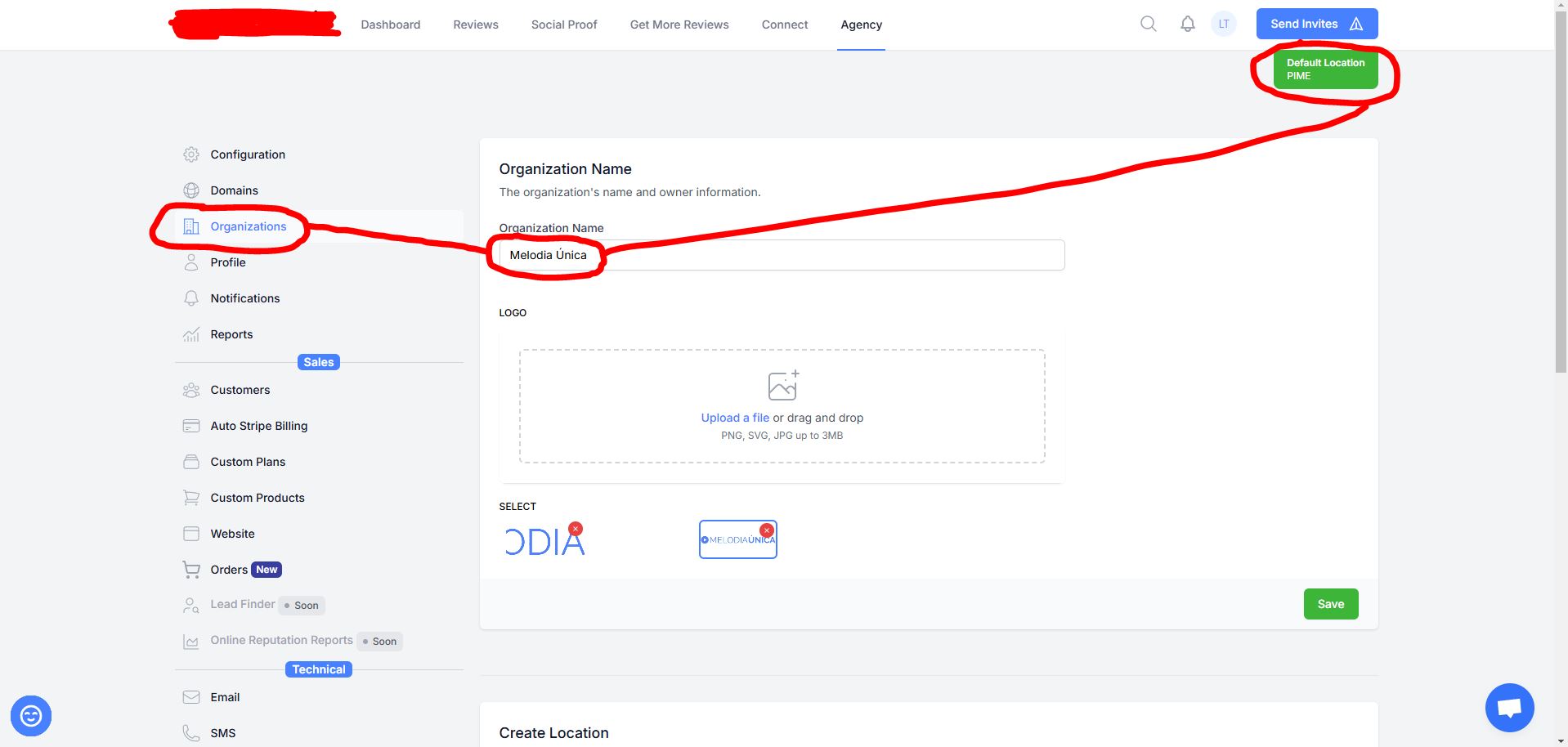
IMAGE 2:
Log in to comment and vote
Comments6
mannie@embedmyreviews.com
Nov 3, 2025
PinnedNew UI/UX resolves this for the most part. Don’t think this is relevant from the customer mode perspective.
Leandro Teixeira
Nov 5, 2025
This wasn’t a big issue, but it definitely improved with the new UI, so yes, it’s resolved (at least for me).
Patrick
Mar 19, 2025
I agree. What would be your suggestion for improving this? I think the location switching UI needs to be revamped, along w/user permissions.
Leandro Teixeira
Mar 19, 2025
Honestly, I don’t have any suggestions on how to solve this problem. I only know that the current approach may cause confusion.
Perhaps hiding the location selector in instances where it is not applicable could be a relatively easy solution to implement.
S.M
Mar 2, 2025
@Leandro Teixeira thanks for putting it up here!
Leandro Teixeira
Feb 23, 2025
Please keep in mind that for me, this isn't a significant issue since I'm already familiar with how this functions, but it is certainly an area that could be improved in the future.