Get notified on new customer sign up
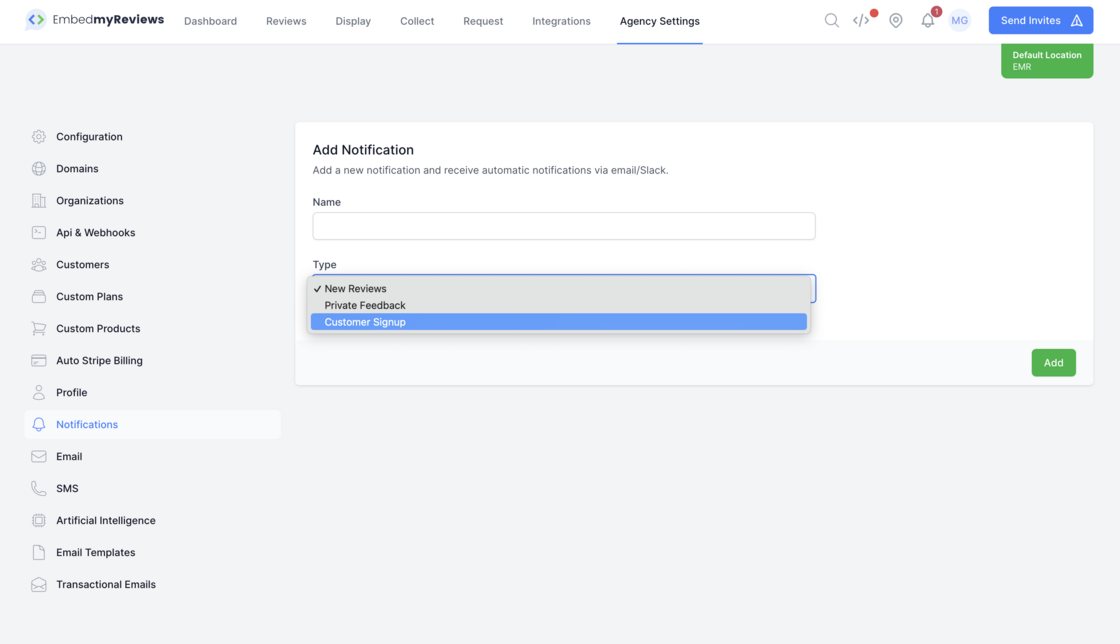
You can now get automated notifications via email and/or Slack whenever a new customer signs up or is manually created via the agency dashboard.
To setup this notification follow the below steps:
Go to agency settings
Click on notifications in the left sidebar
Click the add notification button
Give your notification a name
Under type select Customer Signup
Click add
Select the channels you would like to be notified by i.e. email and input the email address