Completely Hide Review Gating
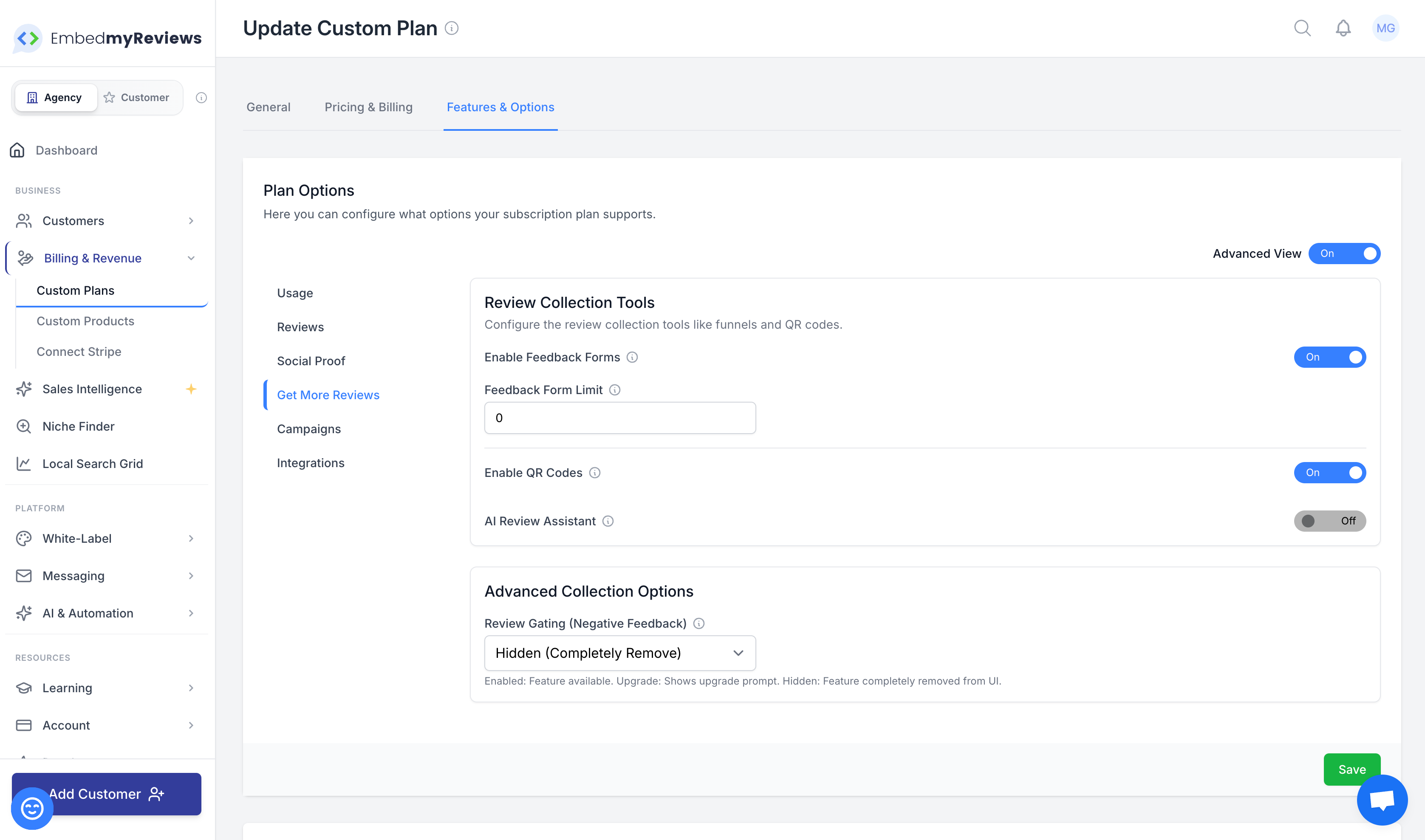
You now have full control over whether review gating exists at all for your customers.
From today, custom plans can completely hide review gating, meaning the feature won’t appear anywhere in your clients’ experience if you choose not to offer it. This is ideal if you want a simpler, more compliant setup for certain review sites or prefer a single review flow for all customers.
How to Enable It
Go to your Agency Account
Click Billing & Revenue
Open Custom Plans
Click Edit on the plan you want to update
Under Plan Options, go to Get More Reviews
Switch to Advanced View
In Advanced Collection Options, choose how review gating is handled
You’ll see three clear options that let you decide exactly how this feature behaves for your customers.

This gives you more flexibility, more control, and cleaner positioning when selling to clients.