AI Review Assistant & Much More
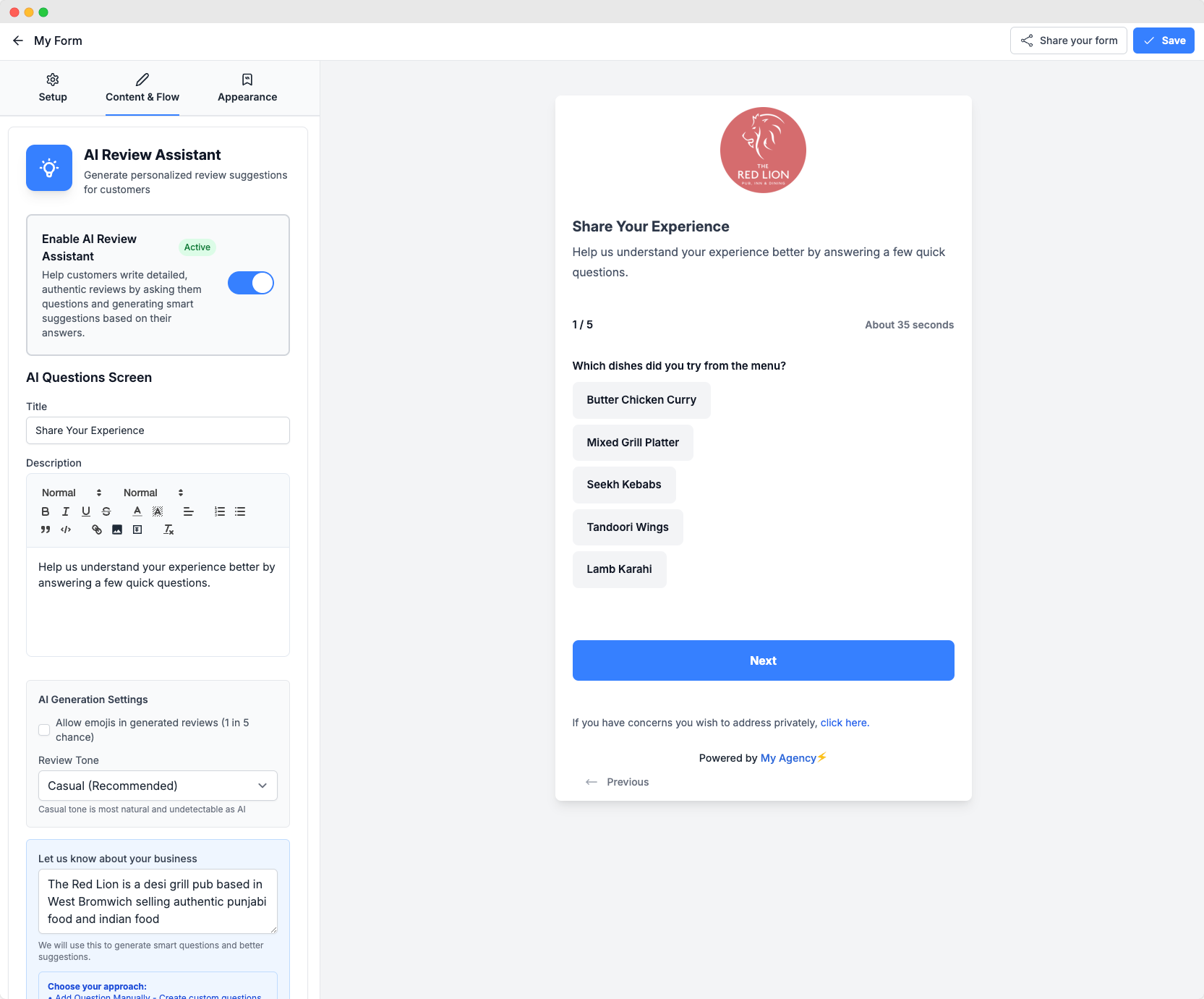
Today we launched a highly requested feature from our roadmap AI Review Assistant: This feature allows you and your clients to generate reviews using AI based on a step-by-step question/answer flow. This data is then used to generate an authentic, natural sounding review that the customer can then copy and paste onto any review site.
The platform does all the heavy lifting in terms of making sure reviews are unique, natural etc.
This feature comes with the ability to control tone, provide business context, generate questions/suggestions as well as include SEO keywords.
The feature is very powerful when setup correctly we recommend to use one of the following models to get best results:
1. Anthropic Claude 3.5 Sonnet
Very good at following style constraints.
Excellent for “don’t do hype, don’t over-polish” prompts.
Strong multilingual support (handles tone variation well).
Best for natural + grounded reviews if paired with a style profile and scoring filter.
OpenAI GPT-4o / GPT-4.1-mini
GPT-4o is fast and strong at “casual” language, especially if you keep temperature around 0.7–0.8 and include real review examples.
GPT-4.1-mini is cheaper and works well for short reviews but sometimes drifts into formulaic structures without strong guardrails.
Mistral Large 2 / Mixtral 8x22B (via OpenRouter)
Surprisingly strong at natural conversational tone.
Can be nudged into “messy but readable” outputs more easily than GPT.
Weaker in long-tail languages vs. Claude/OpenAI, but fine for European languages.
How to use AI Review Assistant:
To get started you will first need to go to Automation & AI and then click edit on your AI provider then click on models at the top and you will then be able to enter or select the model you would like to use for AI Review Assistant.
Once you have done this the AI Review Assistant feature will start to appear within the feedback form designer but for your customers this feature is locked by default so if you want them to have access to this make sure to enable it within plan options → get more reviews → and turn on AI Review Assistant.
After this you will be able to start using this new powerful feature!
A more powerful feedback form text editor
We have added more functionality to the feedback form text editor now so you can add more customisation to the text, insert images and even gif images like below:

More feedback form designs and custom fonts
We have added some slick new design options and the ability to use your own fonts more easily within the feedback form designer. To get started click on Appearance and you will see a number of new designs to select from like the below:

Analytics date and location filters
We have now added date and location filters for both the internal analytics dashboard as well as the shared dashboard.

Other improvements:
Some other improvements we have rolled out today include:
A new stat card has been added to show stats per review tag which is now available on the analytics dashboard.
Built-in website pricing table now supports 1, 2, 3 or more pricing plans while keeping the design consistent and looking great regardless of how many plans you create.
The pricing table in the built-in website for annual plans now highlights the monthly price instead of the annual price for better conversion.
GatewayAPI (SMS provider) now supports the label option when sending SMS messages for better usage reporting.